"I forgot to hand out the whiteboards for a task...
there had to be a simpler, better way."
The digital whiteboard tailored for real Computing lessons. No student accounts or forgotten passwords. Pre-formatted trace tables, interactive binary bulbs, logic circuits, and browser Python — up and running in 10 seconds flat.
while count < 4:
print("Desk 01:", count)
count += 1
| Line | count | total | Output |
|---|---|---|---|
| 1 | 1 | 0 | - |
| 2 | 2 | 1 | - |
| 3 | 3 | 3 | - |
| 4 | 4 | 6 | 6 |
while count <= 3:
total = count ← missed +
count += 1
"I forgot to hand out the whiteboards for a task.
There had to be a simpler way... a better way."
5 Minutes of Momentum Lost
In a 50-minute secondary lesson, five minutes spent retrieving trays, distributing boards, and testing dried-out pens is 10% of the lesson wasted before a single pupil answers.
Fiddling, Lost Lids & Smudges
Students fiddle with eraser pads and pen caps, markers roll under radiators, and blunt 5mm dry-wipe nibs make complex trace tables and CPU diagrams completely illegible.
The Better Way Was Right There
Every student was already sitting in front of a monitor, keyboard, and mouse. Why fight with plastic boards when the screen in front of them could be their whiteboard?
Scroll Scribe was created right there in that computer lab. Write a 3-digit room code on the board. Students open their browser, type the code, and within 10 seconds every desk is live on your screen. Clear, legible handwriting, structured trace tables, built-in accessibility, and instant PDF portfolios of their answers.
The Solution in Action: Real Screenshots
Here is how Scroll Scribe solves the whiteboard scramble in practice—real screenshots from a live computer science lesson:
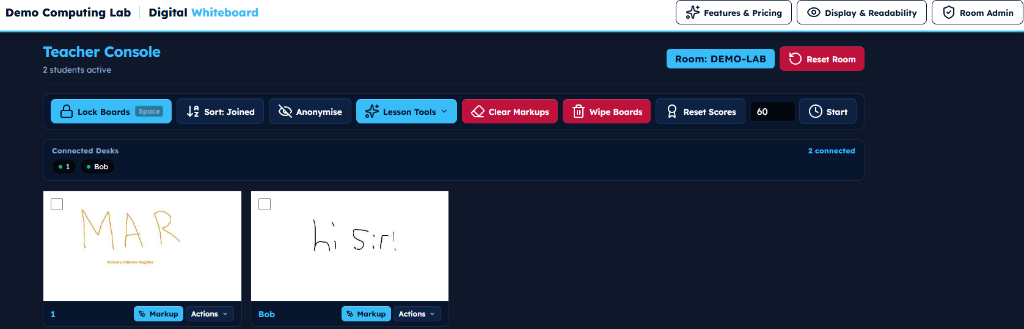
See every student desk live in real time as they write and draw (e.g. Desk 1 writing "MAR", Desk Bob writing "hi sir!"). Lock screens with Spacebar, sort alphabetically or by join time, wipe boards, reset scores, and manage all desks without walking up and down rows.
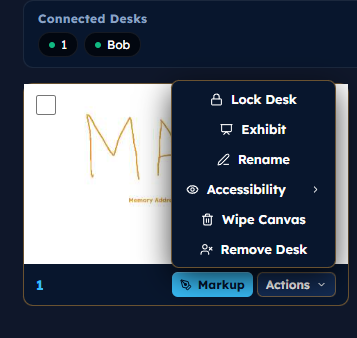
Click Actions on any desk thumbnail to lock an individual desk, beam their work to your projector with Exhibit, rename, wipe canvas, or customize accessibility options.
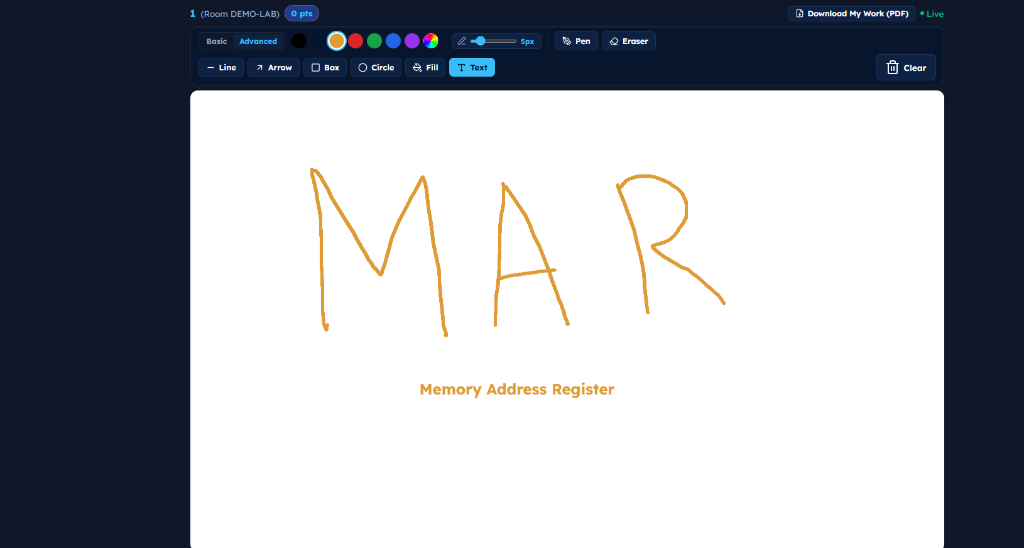
Students draw smoothly with adjustable pen widths, geometric shape tools (lines, arrows, boxes, circles), text labels, and quick eraser. No smudgy markers, no wiped-away answers, and pupils can click Download My Work (PDF) anytime.
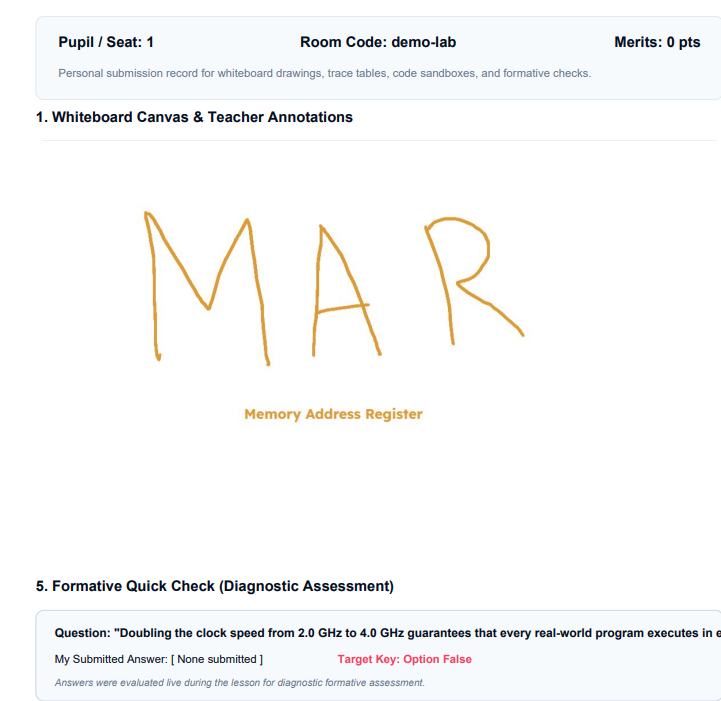
Pupils download a PDF containing their whiteboard drawing, text labels, and formative quick-check answers—ready to paste into exercise books for book scrutiny.
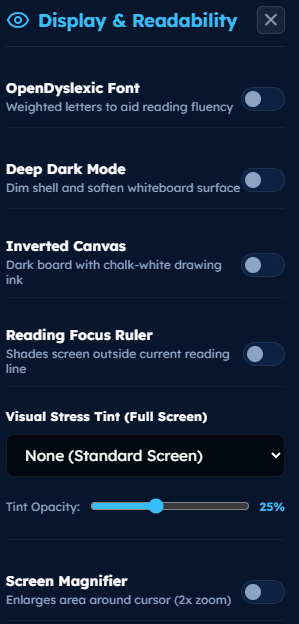
OpenDyslexic font, Deep Dark mode, Inverted canvas (white-on-dark), Reading focus ruler, and custom Visual Stress color tints with opacity sliders for dyslexic and neurodivergent pupils.
Purpose-Built for Curriculum, Binary & Peer Assessment
Beyond standard drawing—Scroll Scribe gives computing teachers dedicated interactive modules for floating-point binary, relational database schemas, structured test matrices, and timed classmate peer review:
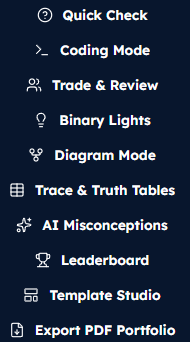
Switch activities in seconds: launch Quick Checks, in-browser Coding Mode, Trade & Review, Binary Lights, Diagram Mode, Trace & Truth Tables, AI Misconceptions, or Export PDF Portfolios directly from the teacher bar.
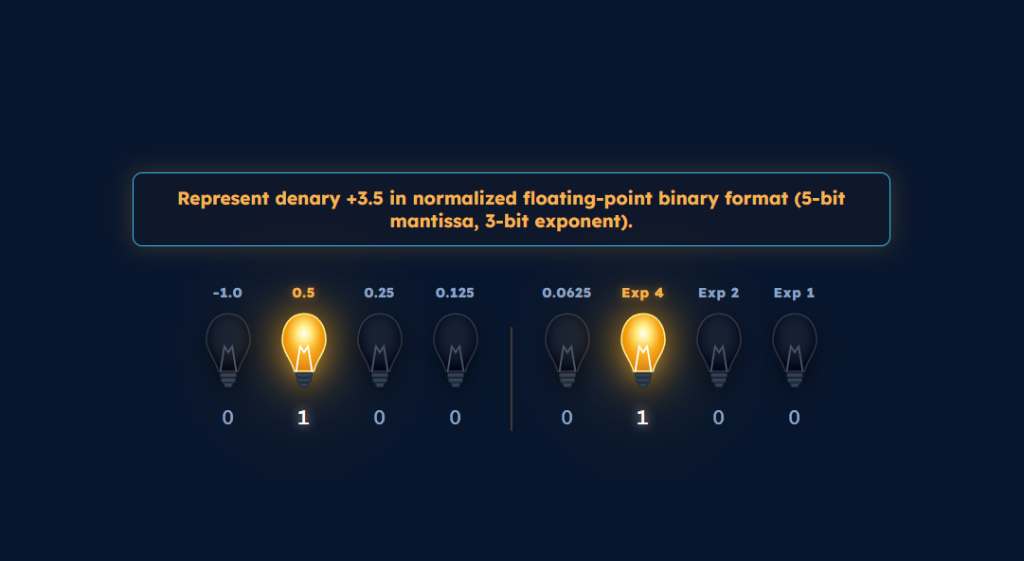
Pupils click glowing bulbs to represent tricky values (e.g. denary +3.5 with 5-bit mantissa & 3-bit exponent). Bulbs glow amber for 1s with clear place-value weights (-1.0, 0.5, 0.25, 0.125, 0.0625, Exp 4, Exp 2, Exp 1).
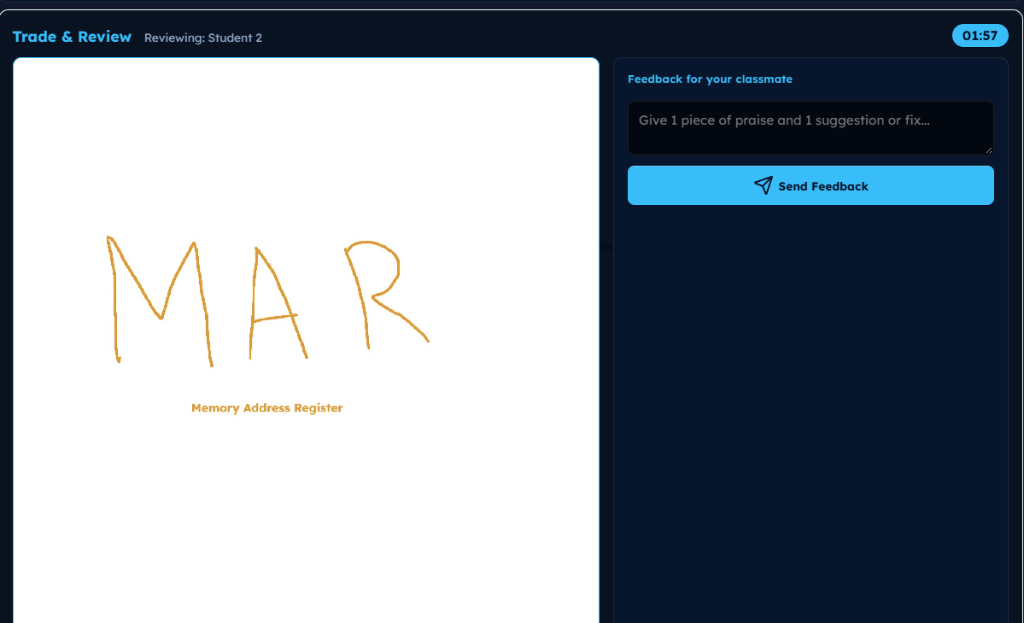
Desks swap anonymously under a countdown timer. Pupils inspect a classmate's whiteboard canvas (e.g. Memory Address Register drawing) and write structured feedback: "Give 1 piece of praise and 1 suggestion or fix".
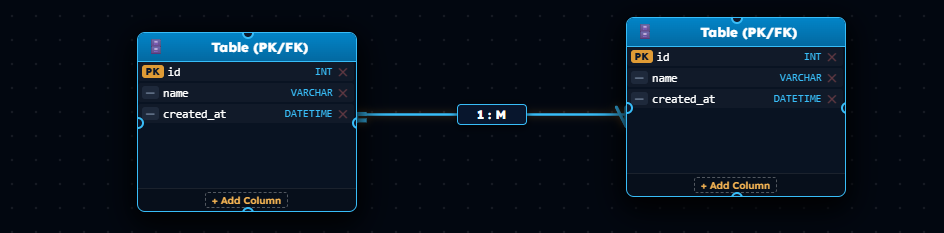
Students construct relational schemas with Primary Keys (PK id), data types (VARCHAR, DATETIME), and interactive 1 : M cardinality links—clean, structured, and legible.
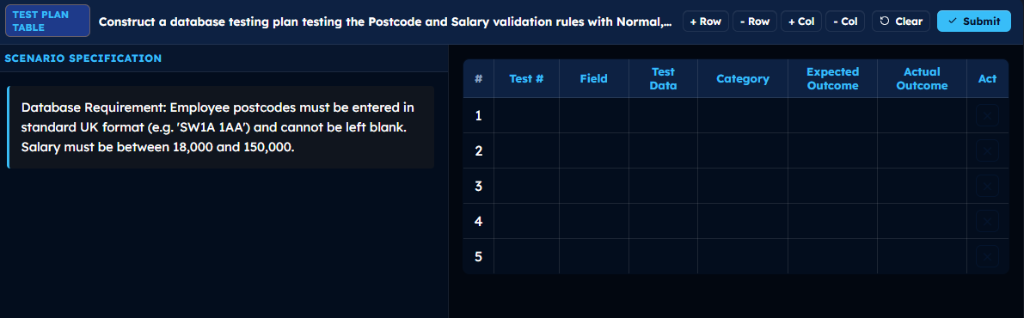
Dispatch exam-board testing specifications (e.g. UK Postcode 'SW1A 1AA' and salary boundaries £18,000–£150,000). Students populate Test Data, Categories (Normal, Boundary, Erroneous), and Expected vs Actual outcomes with dynamic + Row, - Row, and + Col tools.
What You See vs What Your Students See
Students get an ultra-clean, distraction-free board. You get complete classroom radar.
total = 0; count = 1 until the loop terminates.Stepping through loop cleanly
Missed accumulation step
How a 50-Minute Lesson Actually Flows
Designed around the reality of secondary school timetable pressure:
total = count instead of adding. Click Spotlight to beam an anonymous desk to the board and reteach before bad habits form.